
Inspired Minds: Activity Ideas
I Teach Tiny Humans, LLCParenting
3.817.00 Reviews
- Version
- 5.9.0
- Installs
- 50.00K
- Age Rating
- Everyone
Screenshots
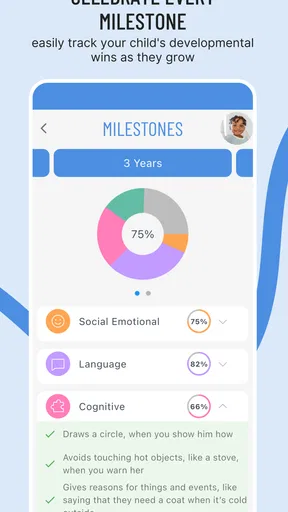
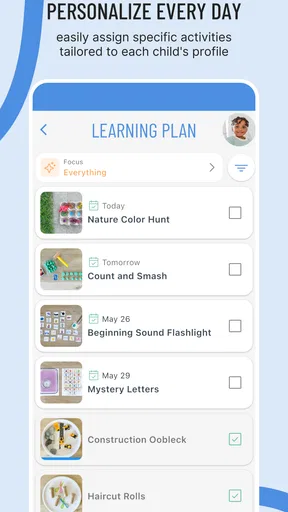
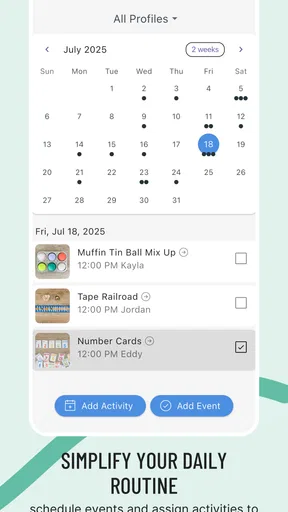
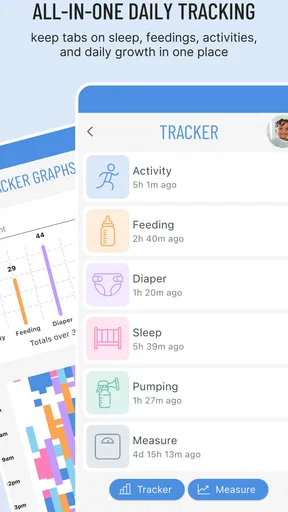
Our Review of Inspired Minds: Activity Ideas
 Analysis by Appyee
I like having a dependable way to find an activity when the day starts to feel repetitive, and Inspired Minds: Activity Ideas is built around that practical parenting need. It offers ideas intended to encourage children’s creativity, so it can help when you want something more engaging than another round of “what should we do?” I’d treat it as a source of prompts rather than a complete plan for family life: the best results come from choosing an idea that fits your child, your available time, and what you have at home.
Making activity ideas work in real family life
I find the most useful way to approach activity ideas is to treat them as a small menu, not a schedule the family has to obey. A quick look before a restless moment gives me room to match a suggestion to the child’s mood and the materials already at hand. From there, the next question is how to make that browsing routine feel manageable without turning play into another task to plan.
A simple starting routine
My most useful approach is to check the app before the moment of crisis, not only when a child is already restless. A quick browse earlier in the day gives me time to notice whether an idea needs preparation and to decide if it suits the mood. I would pick one realistic option, gather what is already available, and keep a simpler backup in mind. That small habit makes an activity feel like an invitation rather than a last-minute demand.
The app is in the parenting category and is published by I Teach Tiny Humans, LLC. Its focus on creative ideas for children is a good fit for parents who want a nudge toward hands-on play. I wouldn’t expect an app to know whether a child is tired, eager to move, or ready to concentrate; that judgment still belongs to the adult. In practice, choosing for the child in front of you matters more than picking the most elaborate-sounding idea.
Choosing for the child, not just the activity
When I’m deciding whether to try an idea, I think about three things: how much attention it asks for, whether the child can take part independently, and how easy it will be to stop or adapt. These checks are especially useful when siblings of different ages are sharing the activity. A creative prompt can often be made more flexible by letting each child approach it at their own level, rather than turning the instructions into a strict set of rules.
A realistic use case is a rainy afternoon when outdoor plans have fallen through and the household is getting restless. I’d look for an idea that can begin with materials already nearby, then set expectations modestly: try it for a short stretch, see whether interest catches, and let the child’s own variations take over. If it isn’t working, switching to another activity is better than insisting that the app’s suggestion must be completed. The value is in getting started, not in finishing every project.
What to check before you begin
Before committing, I’d scan an activity for preparation, cleanup, and supervision needs as carefully as for its fun factor. A project that looks quick may still require an adult to organize materials or stay close. If the timing is awkward, I’d save it for a better moment rather than trying to squeeze it between other tasks. This is a particularly helpful habit for parents who want the activity to reduce friction, not create another complicated job.
It also helps to decide what “success” means before starting. For a young child, exploring the materials or inventing a different ending may be the best part; the finished result need not match an example. For an older child, making a small challenge out of the idea can keep it engaging. I’d use the suggestion as a starting point and adjust the amount of adult help, the pace, or the level of choice to suit the child.
There is no need to turn every free moment into a planned learning session. I’d use activity ideas selectively: when a child asks for something to do, when I want to encourage a new kind of play, or when a familiar routine needs a fresh variation. If a child is already happily absorbed in independent play, interrupting that to follow an app prompt is unlikely to improve the afternoon.
Building a repeatable habit without overplanning
A useful pattern is to keep a mental note of which kinds of suggestions actually suit your household. If a child enjoys making things but loses interest during long explanations, I’d favor activities that can begin quickly and leave room for experimentation. If the family has little time, choose an idea that can be paused without losing its appeal. These are practical filters, not complicated settings: the parent’s familiarity with the child is what makes browsing more effective over time.
I’d also avoid treating an activity suggestion as a promise that everything needed will be on hand. A quick materials check can prevent a promising idea from turning into a store run or a scramble through cupboards. If something is missing, consider a safe substitute only when it preserves the spirit of the activity; otherwise, choose another prompt. That little check is an easy way to keep the app useful on ordinary, busy days.
Who will get the most from it
This is most appealing to parents who like having creative prompts to draw on but still want to make the final call themselves. It can also suit caregivers looking for a shared starting point with a child: the adult can present a couple of possibilities and let the child choose, which gives them some ownership without handing over the whole plan. Families who enjoy adapting activities rather than following a rigid schedule are likely to find that approach comfortable.
I’d be less inclined to recommend it to someone looking for a full childcare organizer, a formal curriculum, or a tightly structured lesson sequence. An activity-idea app is not a substitute for those tools, and a prompt alone cannot guarantee that a child will be interested. If your priority is a specific educational program or detailed planning across a week, a resource designed expressly for that purpose may serve you better. This app makes more sense as a creative helper than as the center of a parenting system.
How it fits alongside familiar alternatives
Parents often look for ideas through books, saved web pages, social posts, or their own tried-and-true games. Those sources can be useful, but they can also leave you with a long list to sort through when you need something now. An app devoted to activity inspiration offers a more focused place to browse. The trade-off is that a collection of suggestions still requires your own judgment about suitability, supplies, and the child’s mood; it does not remove the need to adapt.
I wouldn’t replace a favorite craft book or a child’s own imaginative play with an app. Instead, I’d use this as one option in a small toolkit: familiar activities for low-energy days, a book or saved idea when I want more detail, and a new prompt when the usual choices have gone stale. That mix is more resilient than expecting any single resource to solve every quiet afternoon.
Cost, access, and expectations
The app is free to install, and its age rating is Everyone. It also offers in-app purchases priced from $6.99 to $39.99 per item, so I’d check what an optional purchase covers before deciding to spend. The free starting point makes it easier to see whether the style of activity inspiration suits your family, while the possibility of paid items means it is sensible to keep purchases separate from the assumption that every part of the experience is free.
It has a 4.0 average from 74 ratings, with 15 written reviews, and has passed 10K+ installs. I see those figures as a modest sign that other people have tried it, not a guarantee that its ideas will suit every child. The app was released on April 2, 2023, and its current version is 5.1.0; it requires OS 7.0 or later. Checking that requirement before installing is worthwhile if you plan to use an older device as a family activity screen.
Where I’d set expectations
The main limitation of any idea collection is that inspiration and execution are different things. An activity may sound appealing but be wrong for the available space, the child’s current energy, or the time you have. I’d be ready to simplify or abandon an idea without feeling that the app has failed. The parent still does the important work of judging safety, supervising as needed, and deciding whether the activity is a good match.
I’d also keep screen time in proportion. The app is there to help an adult find something a child can do, not to make browsing itself the activity. A useful routine is to choose the prompt together, put the device aside, and focus on the play. That keeps the app in its strongest role: a brief source of direction that leads into an offline moment.
My verdict on using it well
For me, the best way to get value from a parenting activity app is to pair a quick browse with realistic expectations. Pick one idea, check the practical details, offer room for the child to make it their own, and stop if it is not a fit. That approach avoids overplanning while still making it easier to introduce variety into the day. It is a small routine, but one that can turn “I’m bored” into a manageable choice rather than a scramble for inspiration.
Overall, I’d recommend Inspired Minds: Activity Ideas to parents who want a creative prompt in their back pocket and are comfortable adapting ideas to their own home. I would skip it if I needed a comprehensive educational plan or expected an app to handle the preparation and decision-making for me. Used as a starting point rather than a set of instructions, it can make everyday play feel a little less repetitive and a little easier to begin.
Hey there! So, I just got my hands on this app called Inspired Minds: Activity Ideas, and let me tell you, it's like a treasure chest of creativity! If you’re someone who’s constantly on the lookout for fun and engaging activities, this app might just become your new best friend.
Discovering the Features
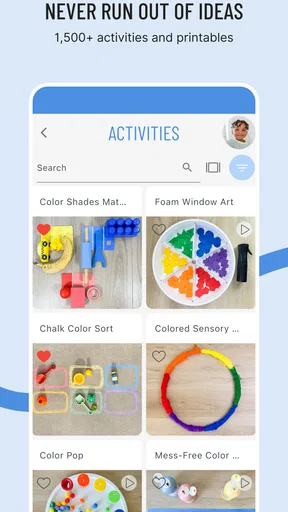
The first thing that caught my attention with Inspired Minds: Activity Ideas is its sleek and colorful interface. Everything is laid out so intuitively that even my grandma could navigate it without any hiccups. The app is bursting with a variety of activities—whether you’re into arts and crafts, outdoor adventures, or brainy games, there’s something here for everyone.
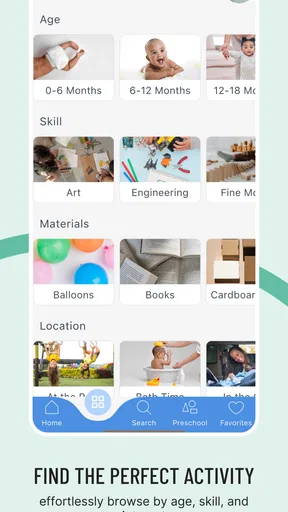
What's really cool is how the app categorizes activities by age group and interest. This means you can easily find something that suits your mood or the crew you’re hanging with. I personally love the "Surprise Me!" feature, where you shake your phone and it randomly suggests an activity. It’s like having my own personal activity genie!
Getting Down to Details
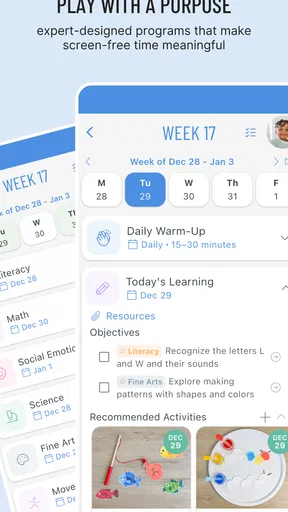
Now, let’s get into the nitty-gritty. Each activity comes with a detailed description, including a list of materials needed, step-by-step instructions, and even estimated time and difficulty level. This makes planning a breeze! Plus, the app includes little tips and tricks to enhance the experience, which I found super helpful.
One feature I appreciate is the "Share Your Experience" section. You can upload photos and share your own tweaks to the activities. It's a fun way to connect with other users, and I've already picked up a few clever ideas from fellow activity enthusiasts.
The Learning Curve
If you’re worried about a learning curve, don’t be. The app is straightforward and user-friendly. Within minutes, I was diving into activities I hadn’t thought about since I was a kid. Everything is designed to be intuitive, so you’ll find yourself browsing through activities like a pro in no time.
For parents and educators, this app is a goldmine. It not only offers activities to keep kids entertained but also includes educational elements that sneak in learning through play. The "STEM Challenges" section is particularly awesome for sparking curiosity and learning in a fun, hands-on way.
Wrapping It Up
Overall, Inspired Minds: Activity Ideas is a fantastic tool for anyone looking to inject some creativity and excitement into their daily routine. Whether you’re a parent, teacher, or just someone who loves a good activity, this app has something to offer.
So, if you’re ready to dive into a world of fun and creativity, go ahead and download Inspired Minds: Activity Ideas. Trust me, you won’t regret it. It’s like having a personal activity planner right in your pocket. Happy exploring!
Verdict
Strengths of Inspired Minds: Activity Ideas
- Wide variety of activities to choose from.
- User-friendly interface for easy navigation.
- Regular updates with new activity ideas.
- Offline access to saved activities.
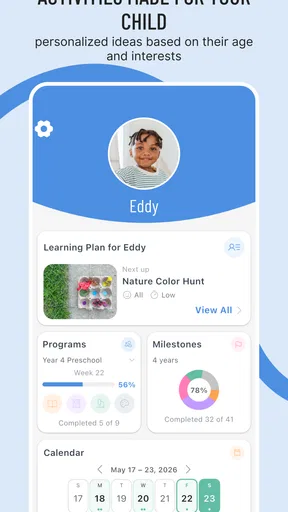
- Personalized recommendations based on interests.
Limitations of Inspired Minds: Activity Ideas
- Limited free content; subscription needed.
- Occasional glitches in the app performance.
- Some activities require additional materials.
- In-app ads can be distracting.
- No option for multi-user profiles.
Similar Picks in This Category
View All
Family Space
Motorola Mobility LLC.3.9

شرطة الأطفال - مكالمة وهمية
Oub Apps4.1

Findmykids: Parental Control
LETEM LTD4.6

Pregnancy + | Tracker App
Philips Electronics UK Limited4.8

Policía de niños - para padres
Kids police4.7

Pregnancy App
Amila4.9
Frequently Asked Questions
What is Inspired Minds: Activity Ideas and how does it work?
Inspired Minds: Activity Ideas is an app designed to provide users with a wide range of creative and engaging activities. The app categorizes activities by age group, interest, and time commitment, offering detailed instructions and necessary materials. Users can explore various options, bookmark their favorites, and even receive personalized recommendations based on their preferences.
Is Inspired Minds: Activity Ideas suitable for all age groups?
Yes, Inspired Minds: Activity Ideas offers a diverse selection of activities tailored for different age groups. Whether you're looking for activities for toddlers, school-aged children, teens, or even adults, the app provides options that cater to different developmental stages, ensuring that everyone can find something enjoyable and appropriate.
Do I need an internet connection to use Inspired Minds: Activity Ideas?
While an internet connection is required for the initial download and to access new content updates, many activities can be accessed offline once they are saved. This makes it convenient for users to plan activities without worrying about connectivity, especially when traveling or in areas with limited internet access.
Are there any in-app purchases or subscriptions required?
Inspired Minds: Activity Ideas offers a free version with basic features and a selection of activities. However, for access to the full library and premium features like personalized recommendations and ad-free browsing, users may choose to opt for a subscription. Pricing details are available within the app.
How often is new content added to Inspired Minds: Activity Ideas?
The app regularly updates its content, usually on a weekly basis, adding fresh and innovative activity ideas. These updates ensure users have access to the latest trends and seasonal activities, keeping the experience dynamic and engaging. Enable notifications to be alerted about new additions to the library.
